
Time tracking for freelancers
Track every hour. Bill every client.
Hourly is the simple time tracker for people who work alone. Your running timer sits on your iPhone Lock Screen, your week adds itself up, and nothing on the site or in the app tracks you.
Free for up to 3 active clients · No credit card required


1:47:03
Website Redesign · Acme Design Studio
Why Hourly
Why Hourly, and not Toggl, Clockify or Harvest?
They are capable tools, built around teams: seats, approvals, managers' dashboards. Hourly is for the freelancer working alone. It does less, on purpose, and it lives on your iPhone.
On your Lock Screen
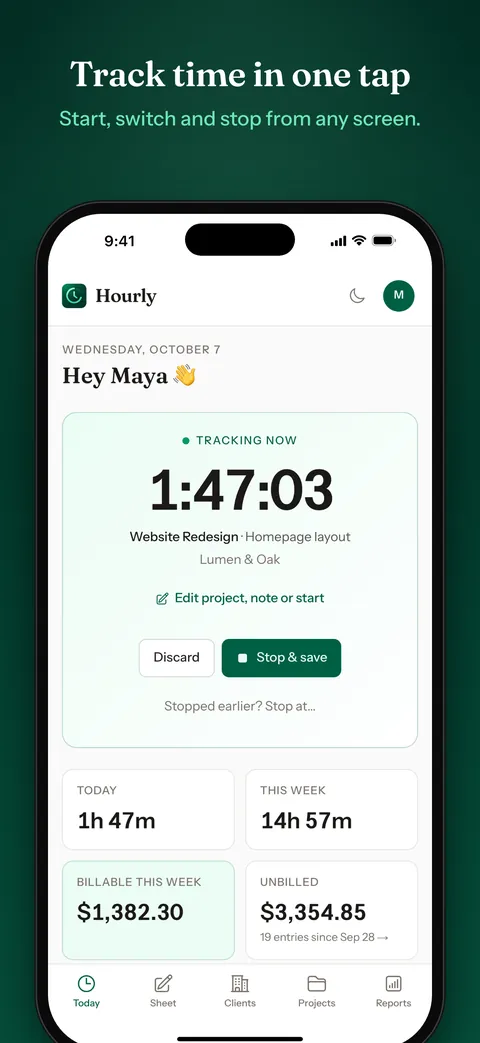
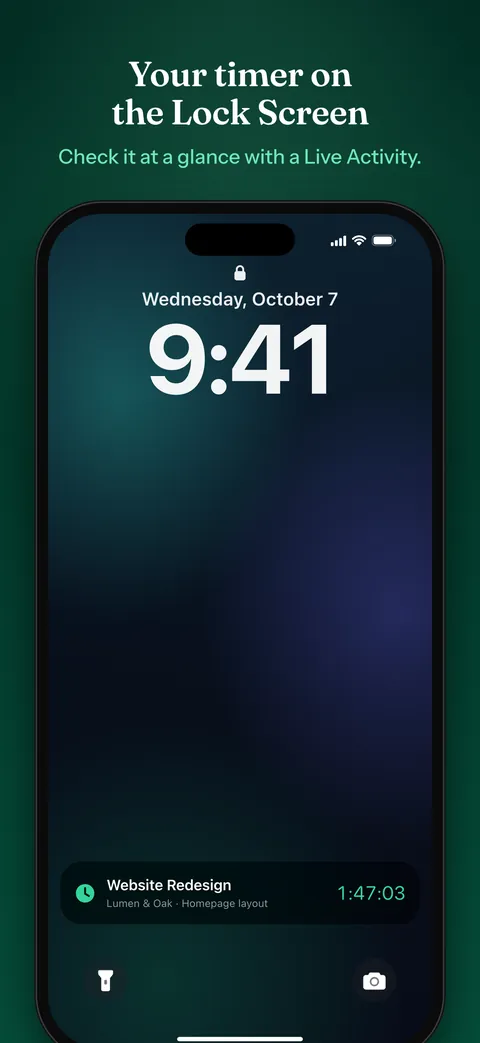
A running timer shows as a Live Activity on your iPhone Lock Screen and in the Dynamic Island, and a Home Screen widget keeps today's hours in view. You always know whether the clock is running.
Nothing tracking you
No analytics, no ads and no tracking code, on the site or in the app. The only one looking at your hours is you.
One simple price
Free for up to 3 active clients. Premium is $9 a month or $79 a year, and one subscription covers the web and the iPhone app. No seats, no tiers.
Built for one person
No teams, approvals or seats to set up. Start a timer, see your week, and export it for your invoice.
On iPhone
See it before you sign up
Features
Everything a freelancer needs, nothing they don't
One-click timer
Pick a project and press start. The running timer follows you on every page, on the web and on your iPhone.
Weekly timesheet
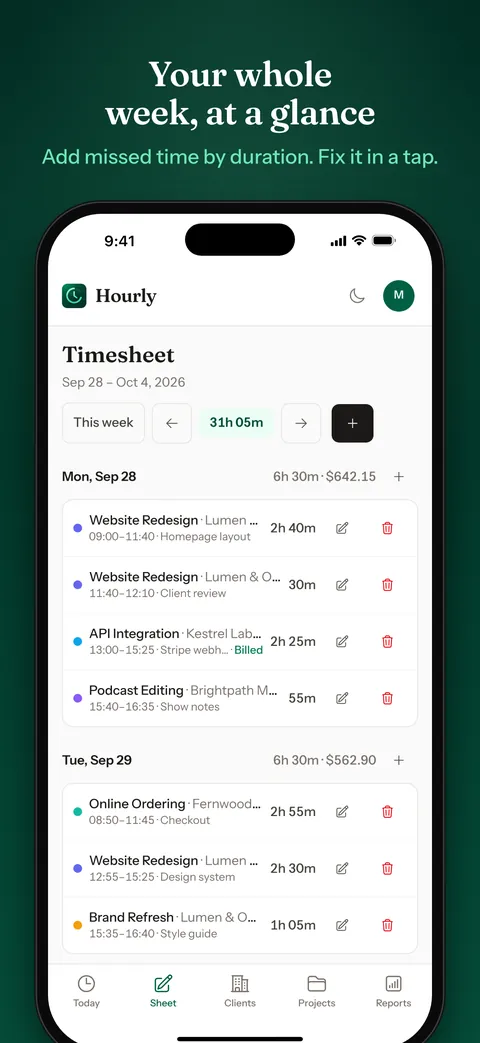
See the whole week at a glance, fix an entry, or add the time you forgot to track.
Reports that bill
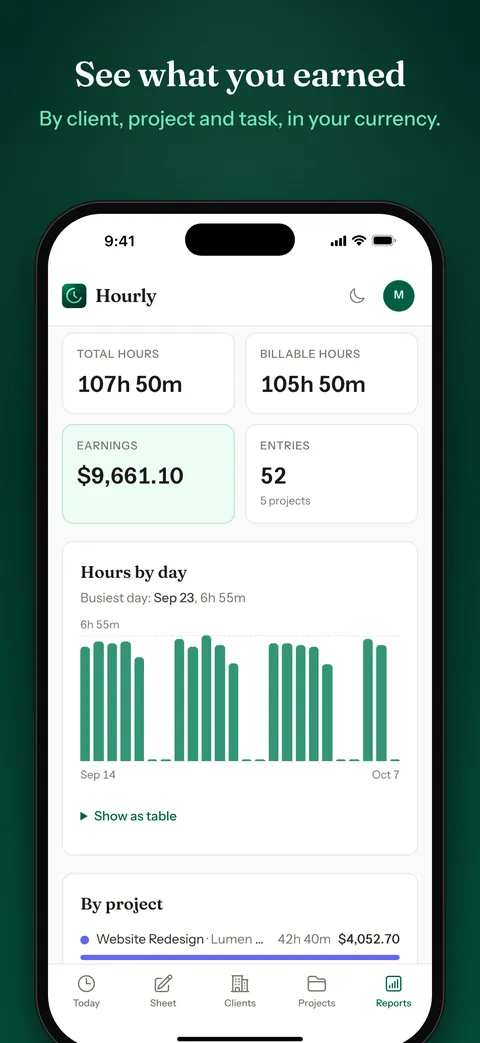
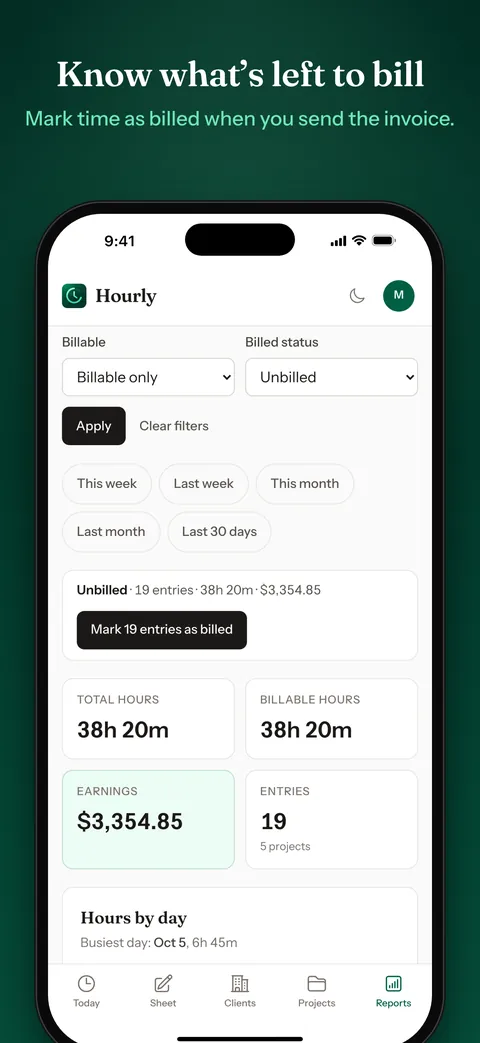
Hours by day, client and project over any range, ready to turn into an invoice.
Rates & earnings
Set an hourly rate on each project. Premium adds up what your tracked time is worth as you go.
CSV export
Your entries in a spreadsheet for your accountant or invoicing tool, on every plan. Mark them billed, and Hourly keeps count of what you haven't billed yet.
Monday summary
Every Monday morning, a short email with last week's hours and the projects they went to.
Pricing
Simple, honest pricing
Free
$0
Everything to track honestly
- ✓ 3 active clients
- ✓ 5 active projects
- ✓ Timer and manual entries
- ✓ Weekly timesheet with editing
- ✓ iPhone app, Live Activity and widget
- ✓ Hourly rates on projects
- ✓ CSV export
- ✓ Billed and unbilled tracking
- ✓ Weekly summary email
- ✓ End-of-day reminder
- ✓ Import from Toggl, Clockify or Harvest
- ✓ Project budgets in hours
Premium
$9/moor $79/yr
Yearly saves 27% · Web and iPhone, one subscription
Everything in Free, plus:
- ✓ Unlimited clients
- ✓ Unlimited projects
- ✓ Reports dashboard with charts
- ✓ Earnings worked out from your rates
- ✓ Project budgets in money
Archived clients and projects don't count toward the Free limits.
Questions, answered
Is the free plan really free?
Yes, with no time limit and no card. Free covers 3 active clients and 5 active projects, with the timer, the timesheet, the iPhone app and CSV export. Premium adds unlimited clients and projects, the Reports dashboard and earnings.
What happens when I reach 3 clients?
Nothing breaks and nothing is deleted. Archive a client you have finished with and its slot is free again, because archived clients and projects don't count. Or go Premium for unlimited.
How is Hourly different from Toggl, Clockify or Harvest?
Those are built around teams, with seats, approvals and managers' dashboards. Hourly is for one person: a running timer on your iPhone Lock Screen and in the Dynamic Island, a Home Screen widget, no analytics or ad tracking, and one flat price for the web and the app.
Can I use it on my phone?
Yes. The iPhone app is free on the App Store and puts a running timer on your Lock Screen. On any other phone, the website works in the browser.
Does Hourly send invoices?
No. Hourly tracks the time, and your invoicing tool or spreadsheet makes the invoice. Export the entries to CSV, mark them as billed, and Hourly shows the billable time you haven't billed yet. That works on every plan.
Can I get my data out?
Yes, on every plan. Export your entries to CSV whenever you like. It is your data.